
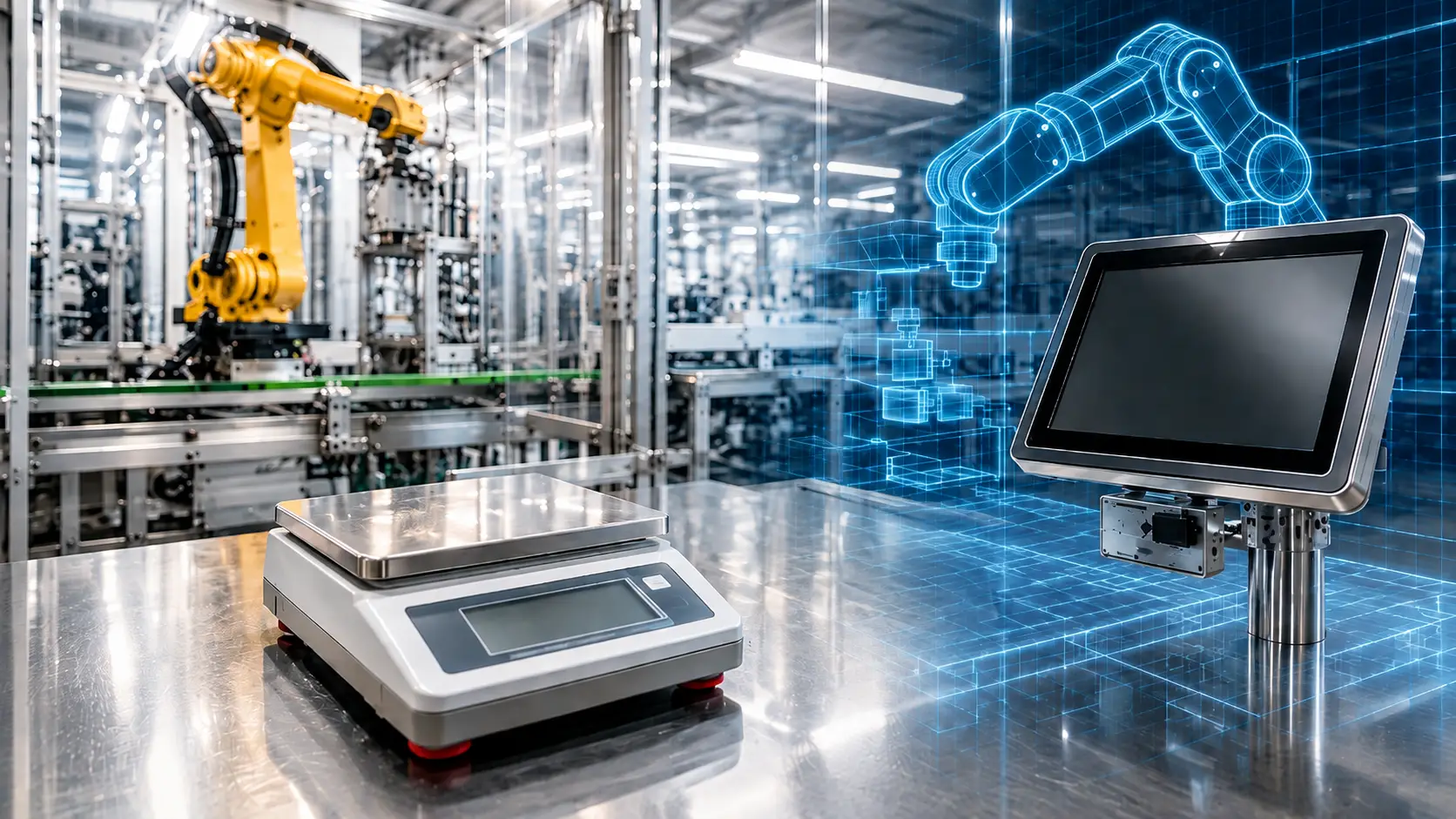
Authored by Anjana Shenoy, SAP Digital Manufacturing & Practice, Körber StelliumA field note from an SAP DM shop-floor connectivity project, showing how a live weighing scale becomes a real digital twin inside SAP Digital Manufacturing.
When people hear digital twin, they usually picture a glossy 3D model of a machine spinning on a screen, or a simulation predicting when a motor will fail. The value starts with something far simpler: a live copy of what is actually happening on the shop floor, available in the same system where people plan, execute and post production.
That is exactly what SAP Digital Manufacturing (SAP DM) lets you build. In this post we will walk through a small but very concrete example from a real weighing scenario. The short version: put a weight on a physical scale, and the same number shows up on the scale screen and inside SAP DM at the same moment. One physical thing, mirrored perfectly in the digital world. That mirror is the digital twin.
What a digital twin actually means in SAP DM
Digital twin is a connected digital replica of a physical asset that stays in sync with the real thing. “Beyond simulation” simply means the twin is not a what-if model running in a corner — it is fed by real, live data from the equipment, and that data drives real decisions: accept or reject a weighment, post a quantity, release a batch.
For that to work you need three things, and SAP DM gives you all three:
- A physical asset on the shop floor that produces data (in our case, a weighing scale).
- A connection that pulls that data into SAP DM in real time, usually over an industrial protocol such as OPC UA (Open Platform Communications Unified Architecture)
- A digital representation of the asset and its values inside SAP DM, so the shop-floor reality and the system stay mirrored — a true shop-floor replica made of connected systems.
A real-time digital twin example:A Mettler Toledo weighing scale
The physical asset here is a Mettler Toledo precision weighing scale — the kind you find in dispensing and formulation areas where every gram matters. On its own, it’s a very good scale: you place material on the pan, and it tells you the weight. Our goal was to integrate that scale into the digital manufacturing process—not leave it as an isolated tool.
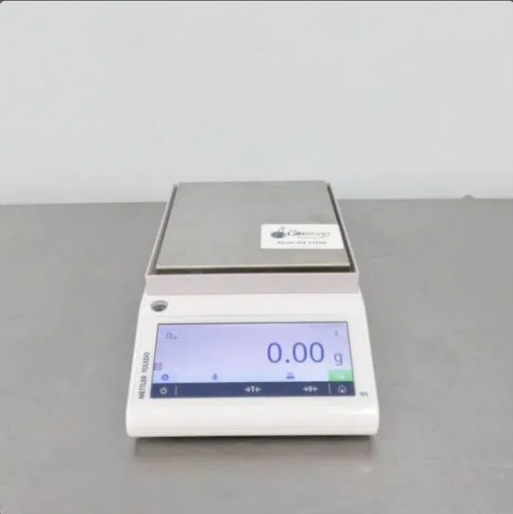
Figure 1 — The physical asset: a Mettler Toledo weighing scale on the shop floor
Connecting the scale through Manage Asset Connectivity
Everything begins in the Manage Asset Connectivity app in SAP DM. Here the scale is modelled as an asset (in our plant it appeared as MT_01_6_A), and each value the scale can produce is mapped as an indicator under a structure — in this case MettlerToledoBetaSimulator. You can see the individual tags being wired up: Confirmed_Gross_Weight, Confirmed_Net_Weight, Batch_Information, acceptance flags and so on. Each one points to a Data Source Tag ID on the shop-floor system (the OPC UA node, the nsurl=http://localh… entries), with its data type and unit of measure. This mapping is the backbone of the twin: it tells SAP DM exactly which real-world signal feeds which digital value.
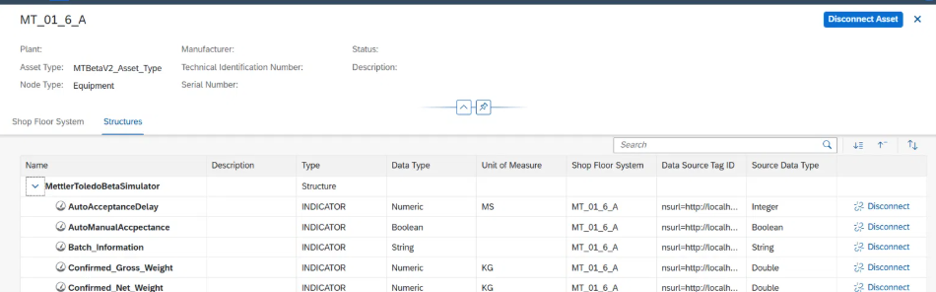
Figure 2 — Manage Asset Connectivity: scale indicators mapped to OPC UA tags (Confirmed_Gross_Weight, Confirmed_Net_Weight, Batch_Information…)
A practical note from experience: get the units and data types right at this stage. If the source sends a Double in KG but you model it loosely, you will chase rounding and tolerance issues later. The connectivity table is boring to fill in, but it is where a reliable twin is actually made or broken.
Step 2 — From physical weighment to live digital mirror
Now the satisfying part. An operator places material on the scale for a formulation step. The scale screen shows the live reading — for example 0.054 kg — against the target and tolerance band configured for that material (Target Weight, Tol+, Tol-). Because the value sits inside the tolerance, the scale confirms ACCEPTED. This is the physical side of the twin, exactly as the operator sees it at the bench.
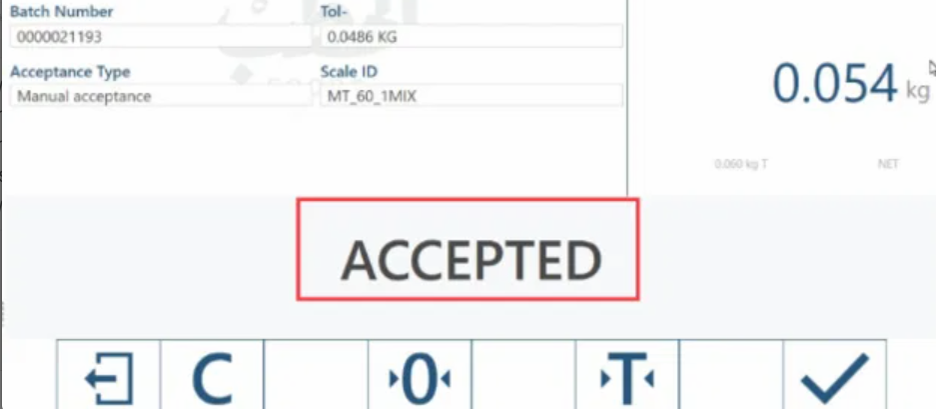
Figure 3 — The scale screen: 0.054 kg against target and tolerance, result ACCEPTED
Step 3: Mirroring the Weighment Inside SAP DM
At the very same moment, that reading flows through the OPC UA connection into SAP DM. In the Formulation / Weighing step of the process order, the component shows a Posted Quantity of 0.054 KG, sitting neatly inside its threshold range (0.049 – 0.057 KG) with the progress bar in the green. The operator did not retype anything. The scale said 0.054, and SAP DM says 0.054.

Figure 4 — SAP DM formulation step: Posted Quantity 0.054 KG within the 0.049–0.057 KG threshold
Put the two screens side by side and the idea is obvious: the SAP DM screen is a mirror of the scale screen. Same weight, same batch, same moment. That live mirroring of a physical asset into the digital system is precisely what a digital twin is. No simulation, no guesswork — just the shop floor, reflected.
Why this digital twin goes beyond simulation
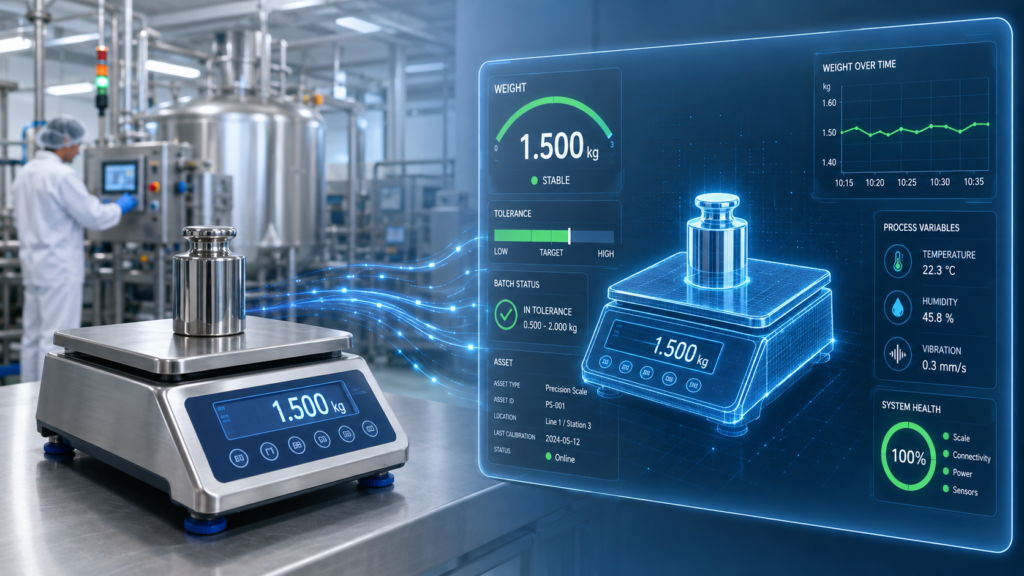
A simulation would predict what the weight might be. This twin reflects what the weight actually is, and then lets the system act on it. Because SAP DM holds the live value, it can do things a pretty 3D model never could:
- Automatic acceptance: the weighment is judged against tolerance in the system, not just at the scale.
- Straight-through posting: the confirmed quantity posts to the process order with no manual keying, so digital records match physical reality.
- Full traceability: material number, batch, scale ID and the exact weight are all captured together — gold for quality and audits.
- Fewer errors: if the operator can’t retype a number, they can’t mistype it.
Implementation considerations from the field
- Model the asset once, reuse it: a clean asset structure (like the Mettler Toledo structure) can be templated across similar scales and plants instead of rebuilt each time.
- Mind the network path: the OPC UA source has to be reachable and stable from the SAP DM connectivity layer — plan the edge / cloud connector setup early, not at go-live.
- Nail tolerances and UoM: target, Tol+ and Tol- must match the master data, or the twin will happily reject good material.
- Decide manual vs. automatic acceptance: some steps need an operator confirm, others can auto-accept — map this per material up front.
- Test with real weights: nothing validates a twin like putting a known mass on the pan and watching both screens agree.
The business benefits of a live manufacturing digital twin
When the twin is live, the wins are practical rather than futuristic:
- Faster weighing with fewer stops, because acceptance and posting happen in one flow.
- Cleaner data, since the digital record is the physical measurement, not a transcription of it.
- Stronger compliance, with weight, batch and tolerance captured automatically for every operation.
- A foundation to build on: once one asset is twinned, the same pattern extends to mixers, ovens and lines — a growing digital replica of the shop floor.
Closing thought: From One Connected Asset to a Scalable Digital Twin Strategy
Digital twin does not have to start as a grand simulation program. It can start with one honest, useful mirror — a scale that shows 0.054 kg, and an SAP DM screen that shows the same 0.054 kg at the same second. That is the twin working. Get that right for one asset, and “beyond simulation” stops being a slogan and becomes something your operators use every shift.
Build Practical Digital Twin use cases with SAP Digital Manufacturing
Körber Stellium can help connect physical assets, industrial data, and SAP Digital Manufacturing to build scalable digital twin use cases grounded in real production processes.